
Unhappy with your current payroll provider? Most business owners agree that running payroll is their most difficult business task. With payroll being such a complicated but necessary business function, it makes sense that you’d want a simple solution. But, isn’t switching payroll companies hard?
Eh, there’s a little footwork, particularly when changing payroll providers mid-year. But when you have an idea of how to do it, you’ll wonder why you didn’t switch sooner.
At a glance: Can you switch payroll providers anytime?
- Short answer: Yes, you can switch any time (year-end is easiest; quarter-end is next best).
- What you’ll need: Employer tax IDs and accounts, employee details (SSNs, rates, deductions), year-to-date payroll totals, and copies of prior filings.
- How long it takes: It can take a few days or weeks to fully switch payroll providers.
- Key risk to avoid: Double-running payroll or duplicate tax filings during cutover. Decide who files which returns before you switch.
- Best practice: Test the payroll before fully switching, reconcile to the penny, and confirm who will file Forms 941/940 and W-2/W-3.
Why you might consider switching payroll companies
There are several signs it’s time to switch payroll providers. Here are a few reasons why you might decide to make the switch:
- Your business is growing
- Your current payroll processor lacks features (e.g., free direct deposit)
- Running payroll takes too long
- You’re spending too much money on your current method
- The payroll company is unreliable
When it comes to payroll, you’re likely looking for a reliable method that can save you time and money without sacrificing key features. Maybe your current provider can’t give these perks to you. Or, you might just be unhappy in general.
Whatever the reason for your dissatisfaction, you may decide that it’s time to make the switch. But, you might not know when is a good time to switch.
When should you change providers?
Many employers put off switching payroll providers because they don’t know when the best time to switch is. So, when should you change providers?
Surprisingly for some, you can change your payroll provider at any time throughout the year, unless you are tied to a contract. And even then, you may be able to pay a fee and get out of your contract.
Keep in mind, however, that changing providers is easiest at the end of a year. That way, you can start the year off with a clean, payroll slate.
Another time to simplify the payroll-switching process is at the end of a quarter. If you decide to make the switch at the end of a quarter, keep these quarter-end dates in mind:
- April 30
- July 31
- October 31
- January 31
Before you pick a cutover date, agree in writing on:
- Which provider will file the final quarter’s Forms 941 and state returns
- Which provider will issue year-end Forms W-2/W-3 and 1099s
- The final payroll run processed by the old provider vs. the first payroll run in the new system
- Who will remit any catch-up taxes or corrections discovered during migration
But again, switching payroll companies mid-year is completely possible, especially if your new provider offers free setup to simplify your responsibilities and transition. Just be sure to touch base with your previous provider to specify which filings they’re going to handle for you, if applicable.

How to switch payroll providers (step-by-step)
Curious about how you can take the plunge? Then you’ve come to the right place. Again, the process of switching can be intimidating if you don’t know where to start.
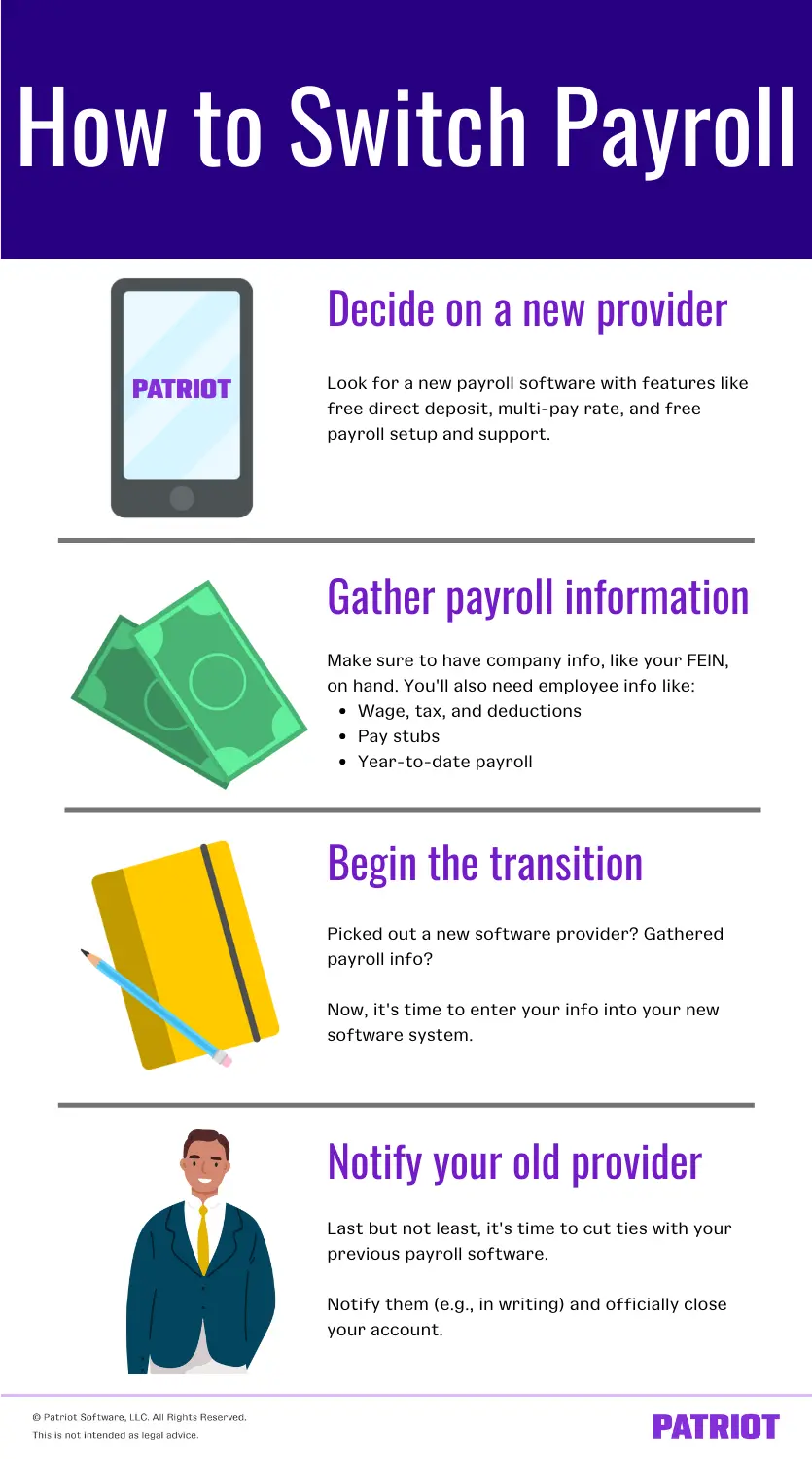
To help make things easier, follow some basic steps when switching payroll companies. These steps include deciding on a new provider, gathering payroll info, beginning the transition, and notifying your old provider.
Pre-migration checklist:
- Choose a target payroll date (e.g., first payroll of next quarter)
- Confirm who files which tax forms and year-end documents
- Gather employer tax IDs, employee data, and year-to-date payroll
- Export data from your old system/spreadsheets to CSV/Excel
- Request import templates or onboarding help from your new provider
- Plan a pilot/test run and post-cutover reconciliation
1. Decide on a new provider
First thing’s first: before you switch payroll, you should know who you’re switching to. Do some research before landing on your new dream payroll provider.
Ideally, you want a payroll system that is easy-to-use and inexpensive and has all of the features you need.
Some features to be on the lookout for include:
- Wage and tax calculations (and overtime)
- Free direct deposit
- Time-off tracking
- Multi-pay rate
- Free payroll setup
- Free support
- Employee portal
You might also opt for a system that doesn’t strap you in with a long-term contract. And, maybe you want a provider who offers a free trial of their service. Make sure your new payroll provider has the features your business needs (not just the ones you want).
Fit considerations:
- Multi-state or local taxes: Confirm automatic rate updates and multi-state filings
- Contractors: Ensure you can pay 1099 contractors in payroll
- Integrations: Check sync with your accounting, time, or HR systems
- Growth: Verify support for additional pay schedules, benefits, and garnishments
2. Gather all payroll information
You can start doing this before you land on your new payroll provider, but your next step is to gather payroll information.
Remember the information you had to have to run payroll with your old payroll company? Your new one needs it now.
Make sure to have your Federal Employer Identification Number (FEIN), EFTPS account information, and state and local account information handy. Don’t forget to also gather your workers’ compensation coverage info. You’ll need this when getting started with your new payroll provider.
In addition to the general employer information, you’ll also need employee-specific information. You can gather this from your previous provider.
Before you ditch your previous provider, you must have things like:
- Employee wage, tax, and deductions information
- Pay stubs
- Year-to-date payroll
- Employee time-off balances
- Pay frequency
- Direct deposit information
- Employee contact information and SSNs
- Copies of reports (e.g., Form 941)
Don’t worry about collecting “too much” data. Remember, it’s better to be safe than sorry. And more than likely, your new provider will need every bit of information you can give them for a smooth transition.
Data prep best practices:
- Standardize formats: Use consistent date formats (YYYY-MM-DD), state codes, and deduction names
- Map fields to your new software’s template (e.g., column for pay type)
- Transfer securely: Upload files in the software system
- Include current-year totals first; import prior-year history later if needed
3. Begin the transition
Once you’ve got information in hand, you can start entering it into your new software.
Many employers who are switching payroll companies begin the transition before they officially shut down their old method. That way, you can go back and reference information if you need to.
Although transitioning payroll information is a great safeguard for information, it can become quite a sticky situation if you accidentally run payroll from both systems.
Transition tips:
- Run a practice payroll and compare net pay, taxes, and deductions to your prior system
- Set direct deposit lead times: Confirm bank verification windows to avoid pay delays
- Fully transition: Clearly label “last payroll date” to prevent duplicate runs
4. Notify your old provider
At long last, you’ve come to the final main step of the switching payroll providers process. The time to cut ties with your previous provider and start running payroll in your new system.
To do this step, simply notify your old provider. Consider putting it in writing that you’re leaving so you have documentation that you told them.
Once you’ve closed your payroll account with your old provider, you’re free to run payroll in your new system. And hopefully, you’ll be happy that you switched.
What to include in your notice:
- Final payroll date processed with the old provider
- Which party will file quarter-end and year-end returns (941/940/W-2/W-3/1099)
- Request for final reports: year-to-date registers, tax payment confirmations, and benefit deductions
- How to handle adjustments discovered after switching (who files amended returns if needed)
How to migrate payroll from spreadsheets to software
If you’re moving from spreadsheets to payroll software, follow this proven flow:
- Inventory and clean your data
- Collect all tabs: employees, rates, taxes, deductions, PTO, and year-to-date totals
- Standardize date formats, pay types, and codes; fix missing SSNs or rates
- Map your fields
- Align columns to the new system’s import template (ask your provider)
- Export and import securely
- Save as CSV/XLSX per your provider’s template
- Upload into the provider’s system
- Test before the switch
- Run a test payroll
- Validate taxes, benefits, and garnishments calculate as expected
- Go live and monitor
- Run first live payroll, then spot-check the next 1–2 cycles
- Track processing time and error rates to confirm improvements
Typical timeline and responsibilities
- Data gathering and cleanup: 2–5 business days (depends on complexity)
- Import and setup (accounts, direct deposit, deductions): 3–7 business days
- Payroll test: 1–3 business days
- First run in the new system: Next scheduled payroll
- Who does what:
- You: Provide employer IDs, employee data, YTD totals, and confirm the cutover date
- New provider: Supply import templates, assist with setup and guide filings going forward
- Old provider: Deliver final reports and, if agreed, file final period returns
Post-switch validation checklist
After your first live run:
- Confirm net pay and taxes
- Verify direct deposits cleared on time
- Match YTD totals against prior reports
- Check PTO balances and deduction/benefit enrollments
- Review tax account connections (federal, state, local)
- Document any discrepancies and resolve before the next run
Common pitfalls when switching payroll (and how to avoid them)
- Duplicate filings or double withholding: Set a firm cutover date and freeze the old system
- Missing YTD totals: Collect per-employee wages, taxes, and deductions before switching
- Direct deposit delays: Complete bank verification early and plan around lead times
- Data mismatches: Use your provider’s import template and reconcile
- Security gaps: Transfer data directly into the new software system (not via email)
Frequently asked questions
Yes. It’s common to switch mid-year. Import accurate year-to-date totals and agree on who files which quarterly and year-end forms.
Employer tax IDs (FEIN, state/local), EFTPS info, workers’ comp details, employee data (SSNs, pay rates, deductions, direct deposit), and current-year YTD payroll totals plus copies of recent filings (e.g., 941).
Many businesses switch in a few days or a few weeks.
Decide in writing which provider files the final quarter’s returns and who issues W-2/W-3 and 1099s. Avoid overlap to prevent duplicate filings.
Current-year YTD is typically required. Prior years are optional. Import them if you want consolidated records and reports in one system.
Contact both providers immediately, void/adjust as allowed, and reconcile taxes. You may need amended filings to correct duplicates.
No! Do not email payroll files. Instead, use your provider’s secure system to upload to your account.
Year-end is easiest. Quarter-end is the next best. Otherwise, pick a date between pay cycles and agree on who files returns for that period.
Not happy with your current payroll provider? Make the switch to Patriot Software’s online payroll today! We offer free, USA-based setup so you can start running payroll in no time. What are you waiting for? Join tens of thousands of happy customers by starting your FREE trial today!
This article has been updated from its original publication date of December 23, 2019.
This is not intended as legal advice; for more information, please click here.