
Do you have a temporary or permanently remote workforce? If so, you may consider offering work-from-home reimbursement to help workers cover remote-related expenses.
And depending on your state, you might not have a choice.
Read on to learn what a work-from-home reimbursement covers, tax details, and state guidelines. And, find out how to set up your work-from-home reimbursement policy.
- What it is: A work-from-home reimbursement is an employer-paid reimbursement for necessary, work-related remote expenses (e.g., internet, phone, equipment).
- Taxable or not? Non-taxable if handled under an “accountable plan” (business connection, adequate accounting, return of excess). Otherwise, it’s taxable wages.
- Required? Federally, reimbursement is required if the expense would push a nonexempt employee’s pay below minimum wage. Some states (e.g., CA, IL) require reimbursement for necessary business expenses.
- Common covered items: Internet, mobile phone, headsets, webcams, desks/chairs, monitors, adapters, shipping for work equipment.
- Policy must-haves: Eligible expenses, limits, request/approval process, documentation, payment timing, tax treatment, and exceptions/approvals.
What is work-from-home reimbursement?
First of all … what exactly is a work-from-home reimbursement, anyway? Work-from-home reimbursements are employer payments that cover employees’ necessary and reasonable business expenses incurred while working remotely.
A remote work reimbursement may cover the following employee costs:
- Internet services
- Telephone service
- Desks and chairs
- Computers
- Equipment
- Accessories and peripherals (e.g., webcam, headset, adapters)
- Reasonable shipping or installation fees for required tools
What it’s not: A flat “work-from-home stipend” with no substantiation is generally treated as taxable wages. True reimbursements require documentation and should follow an accountable plan to be non-taxable.
In most cases, employers aren’t required to reimburse employees for remote-related expenses. Generally, these types of reimbursements are voluntary employee benefits that can boost productivity, engagement, and morale.
But for many, working from home has become the new norm rather than an employee choice.
And in these cases, some employers do have to provide these reimbursements.
Under the federal Fair Labor Standards Act (FLSA), employers must reimburse employees for expenses if the costs cause the employee’s hourly wage rate to drop below minimum wage. So, watch out if an employee’s wages are at or just above minimum wage. They could dip below if the employee has necessary expenses involved with working from home.
Some states (e.g., Illinois) also require employers to reimburse employees for necessary expenses they incur to perform their work. And in California, this may mean employers must provide remote employees with internet or cell phone reimbursements.
State rules to know
- California: Requires employers to reimburse employees for all necessary expenses incurred in the course of their duties. Courts have interpreted this to include a reasonable share of internet and mobile phone costs when used for work.
- Illinois (Wage Payment and Collection Act): Requires reimbursement for necessary expenditures directly related to services performed for the employer, with reasonable policy limits allowed.
Tip: Multi-state employer? Consider setting a core policy that complies everywhere, then add state-specific appendices for stricter locations.
Reimbursements and taxes
Reimbursable doesn’t mean non-taxable when it comes to telecommuting expenses. So, do you have to withhold taxes on employee work-from-home reimbursements? In short: Only if the payment doesn’t meet accountable plan rules.
According to the IRS, a remote work reimbursement is only non-taxable if it meets all three accountable plan tests:
- Business connection
- The expense is ordinary, necessary, and helpful for the employee’s role (e.g., internet needed to access company systems).
- Adequate accounting
- The employee substantiates the expense with receipts/bills and business purpose within a reasonable time frame (many employers use 30–60 days).
- Return of excess
- If you provide more than the substantiated amount (e.g., a flat advance), the employee must return the excess within a reasonable period (commonly 30–120 days).
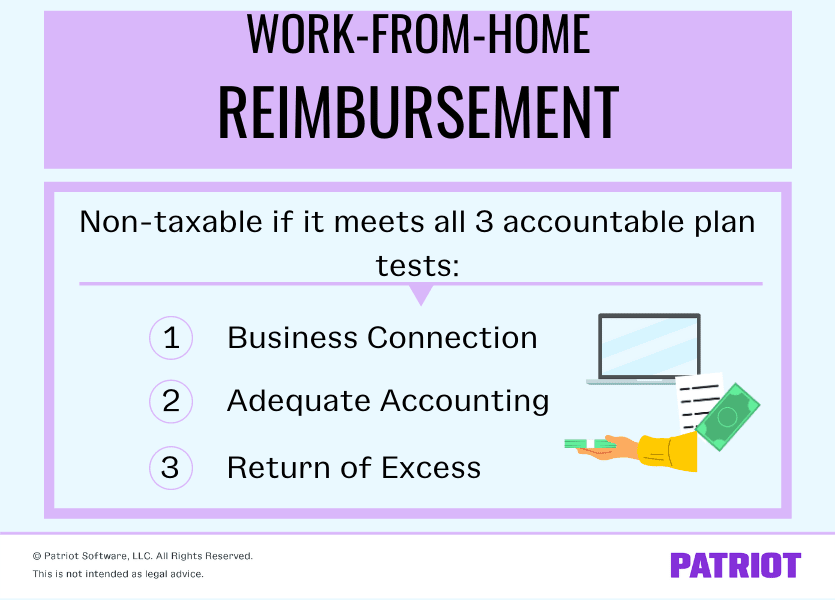
If the expense fails any of these three tests, you must include the payment in the employee’s taxable wages and withhold payroll taxes. And, include the amount on the employee’s Form W-2. Flat “stipends” with no documentation are typically taxable.
Quick example: If an employee submits an internet bill and notes 40% business use with manager approval, you can reimburse that 40% non-taxably under an accountable plan.
How to create your work-from-home reimbursement policy
Whether you choose to provide reimbursements for remote expenses or are required to, your policy should spell out everything to employees. Include your policy in your employee handbook so employees have easy access.
Map out the following three things in your policy:
- Which expenses the policy covers
- How employees can submit reimbursement requests
- How (and when) you will provide reimbursements
1. Specify which costs count
What employee expenses do you plan on covering? For example, will you cover any business expense that’s ordinary and necessary, or limit reimbursements to internet coverage?
You also need to think about how much of each expense you want to cover. For example, some employers choose to pay the percentage of an employee’s internet bill associated with business use.
This section of your internet and mobile phone reimbursement policy (and whatever other costs you want to cover) should detail:
- Eligible expenses for the work-from-home reimbursement
- Reimbursement limits
- Whether the cost must be ordinary, necessary, and helpful
- Ownership and return rules (e.g., who owns equipment purchased and what happens on separation)
- What’s not covered (e.g., decorative items, non-work software, furniture beyond ergonomic basics)
- Exceptions and approvals process for unusual needs (e.g., specialized equipment with manager and HR approval)
- Documentation required (e.g., itemized bill, proof of payment, business-use percentage calculation)
How to calculate partial reimbursements (example)
- Internet: If an employee’s monthly bill is $80 and business use is 40%, reimburse $32. Document the method.
- Mobile phone: If an employee uses a personal plan for both work and personal calls, set a fixed monthly work-use percentage (e.g., 30%–50%) or reimburse actual overage minutes and data attributable to work. Be consistent across similar roles.
2. Choose a reimbursement request process
Your policy should also explicitly detail the reimbursement request process. Include the following things in your policy:
- How the employee must request a reimbursement (e.g., submitting a form)
- The length of time the employee has to submit their request
- What supporting documents employees need to submit (e.g., receipts or bills)
- Whether the employee needs to ask before incurring the cost
- Required manager approval and any spending thresholds (e.g., pre-approval required for purchases over $150)
- Submission timeline (e.g., within 30 days of expense)
- Where to submit and who to contact for questions
3. Decide how to provide reimbursements
Last but not least, clearly let employees know how and when they can expect their reimbursements. Will you provide them as a lump sum or as the employee incurs them? Be consistent in how long it takes you to provide the reimbursement.
Compliance checklist
- Confirm federal FLSA compliance (no pay below minimum wage after expenses).
- Identify states where you have employees; add stricter rules (e.g., CA, IL) to your policy.
- Adopt an accountable plan: define business connection, documentation, and return-of-excess steps.
- Standardize recurring reimbursements (internet/phone) with clear percentages and documentation cadence.
- Configure payroll items correctly (taxable vs. non-taxable)
- Train managers and employees on the policy and where to submit expenses.
- Review annually for legal updates and operational fit.
Payroll solutions for remote teams
- Automate reimbursements in payroll: Set up non-taxable reimbursement types under an accountable plan or taxable stipends when needed, and pay via direct deposit.
- Multi-state support: Keep up with multi-state payroll needs for distributed teams, and centralize reimbursements on regular pay runs.
- Employee self-service: Give employees access to pay stubs and reimbursement details in their portal, reducing back-and-forth.
- Time add-ons and integrations: Streamline hours and pay for hybrid or remote teams; keep policies consistent across locations.
Why it matters: Automated payroll + direct deposit + clear policy = fewer errors, faster cycle times, and better compliance for remote teams. Consider using a reliable payroll solution like Patriot’s payroll software to streamline your responsibilities.
FAQs: Work-from-home reimbursements
They are non-taxable if paid under an accountable plan with documentation, business connection, and return of excess. Otherwise, they’re taxable and included on Form W-2.
Internet, mobile phone usage for work, basic ergonomic equipment (chair/desk), monitors, headsets, webcams, and required software are typically eligible. Exclusions often include decor, non-work subscriptions, and premium furniture not medically required.
Yes, but without documentation, stipends are generally taxable wages. If you want non-taxable treatment, collect and retain substantiation and true-up or recoup any excess.
Independent contractors typically invoice you and factor business costs into their rates.
W-2 employees cannot claim the home office tax deduction under the Tax Cuts and Jobs Act.
Choose a consistent, reasonable method (e.g., documented business-use percentage like 30%–50%, or actual incremental costs). Apply the same approach to similar roles and revisit annually.
Need help running payroll for your employees? We can help. Patriot’s online payroll is fast, simple, and affordable. Plus, we offer free, U.S.-based support. Start your free trial today!
This article has been updated from its original publication date of September 16, 2020.
This is not intended as legal advice; for more information, please click here.