Remote work is becoming more common. If you hire remote workers who work in a different state than where your business is located, you need to know how to handle pay and employment issues.
- Follow the employment laws of the state where the remote employee performs work, not your business’s state (unless a special sourcing rule applies).
- Register for required state accounts with tax, labor, and unemployment departments in the employee’s state (and any applicable localities).
- Withhold and remit state and local income taxes based on the employee’s work location. Check for reciprocity agreements that may change resident/nonresident withholding.
- Purchase state workers’ compensation and any required disability insurance for the employee’s state.
- Comply with applicable labor laws, post required notices electronically or by mail, and maintain proper records.
- Watch for “convenience of the employer” sourcing rules in certain states (e.g., New York and others) that may treat wages as earned in the employer’s state even when the employee works elsewhere.
- Confirm other state mandates: paid sick leave/PFML, expense reimbursement, pay frequency, meal/rest breaks, wage statement details, and predictive scheduling.
- Complete new hire reporting, collect state withholding forms, and register for unemployment in the employee’s state before the first payroll.
Pay and employment issues when you hire remote workers
When you hire out-of-state employees, you must follow the laws of the state where the employee works.
It’s impossible to cover every state law and nuance in this article, so be sure to study up on the state laws where your employees are located. The basics of your employer responsibilities are explained below.
| Want to learn about becoming a new employer in a particular state? Check out our new employer information by state pages! |
Step-by-step: Hiring an out-of-state remote employee (quick checklist):
- Determine the employee’s primary work state
Determine the employee’s primary work state and any local tax jurisdictions.
- Register for state accounts
Register for state withholding, state unemployment (SUTA), and any required paid leave or disability programs.
- Register for local accounts
Register for local tax accounts (if applicable), and set up new hire reporting.
- Collect withholding forms
Collect the correct state/local withholding forms in addition to the federal Form W-4.
- Set up payroll
Configure payroll for the employee’s state rates, wage bases, and local taxes.
- Sign up for workers’ compensation
Secure workers’ compensation coverage in the employee’s state (and any required disability/PFML).
- Apply state labor standards
Confirm and apply state labor standards (minimum wage, overtime, breaks, expense reimbursement, pay frequency).
- Provide labor law notices
Provide federal and state labor law notices electronically or by mail and maintain records.
- Run payroll
Run payroll and remit taxes and reports to the correct agencies on time.
- Reassess if things change
Reassess nexus, registrations, and insurance if the employee’s location changes or if you add more states.
State registration
You will probably need to register for multiple accounts with the state where the employee is located. These accounts might be with the tax, labor, or unemployment departments. Check with your state to determine which accounts you need to register for.
Common registrations include:
- Department of Revenue (state income tax withholding)
- State Unemployment Insurance (SUTA) account
- Paid Family and Medical Leave or State Disability programs (where applicable)
- Local tax authorities (city/county/school district), if required
- New hire reporting with the state’s designated agency
Labor laws
You must follow federal labor laws when you have employees, such as the Fair Labor Standards Act (FLSA). But, many states have their own labor laws that are more strict than the federal laws, or even more strict than the state where you are located. If an employee’s state has stricter laws, you must follow those laws.
Make sure you check state labor laws for minimum wage, overtime, overtime exemptions, equal pay, recordkeeping, and child labor.
For example, your business is located in Louisiana, which follows the federal minimum wage of $7.25. You hire a remote worker located in Missouri. The minimum wage in Missouri is $15.00 in 2026. Because the minimum wage in Missouri is greater than the federal minimum wage, you must pay the employee at least the Missouri minimum wage.
Also confirm state rules on:
- Paid sick leave and/or paid family and medical leave (PFML)
- Meal and rest breaks, reporting time pay, and daily overtime (e.g., in some states)
- Expense reimbursement for necessary business costs (required in some states like California and others)
- Pay frequency and final pay timing
- Wage statement (pay stub) content and delivery
- Predictive scheduling (in some cities/states)
Labor law posters
When you have employees in a workplace, you must hang federal and state labor law posters. But what do you do when your employees work remotely in another state?
You should still find a way to “display” the labor law posters. You can electronically share the posters. Or, you can mail copies for the employee to keep. Make sure you include all applicable federal posters and posters for the state where the employee works. Keep proof of delivery (e.g., email receipt or signed acknowledgment) and ensure remote employees can readily access electronic postings.

State and local income taxes
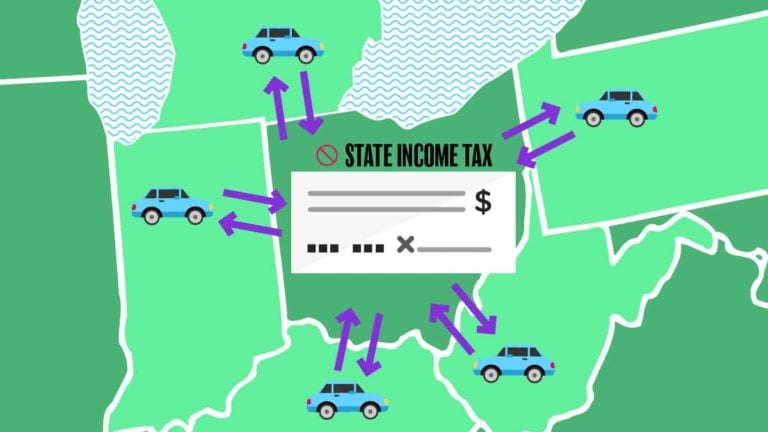
Depending on where the employee is located, you might need to withhold and remit state and local income tax. You must calculate and withhold remote employee taxes based on where the employee works, not where your business is located. Even if the state and locality where your business is at doesn’t have income taxes, you must still withhold state and local income taxes where the employee is at.
Keep the following in mind:
- Reciprocity agreements: Some neighboring states have agreements allowing you to withhold only the employee’s resident-state tax (e.g., if the employee lives in State A and works in State B). Collect the required exemption form for the work state when applicable.
- “Convenience of the employer” rules: A few states treat wages as sourced to the employer’s state if the employee is working remotely for their own convenience, not business necessity. This can create dual-state withholding. Confirm whether your employer state or the employee’s state applies this rule.
- Local taxes: Certain cities and local jurisdictions (e.g., some in Ohio, Pennsylvania, New York) require local withholding based on where the employee works or resides.
Unemployment tax
Employers must pay federal and state unemployment taxes based on employee wages. For state unemployment taxes, pay the tax to the state where the employee works. You will need an employer unemployment tax account in that state to remit the taxes. Make sure you use the correct tax rate and withholding threshold for the state where the employee is located.
For example, your business is located in Maryland and you have a remote worker in Georgia. You will pay unemployment taxes to Georgia based on that employee’s wages. If an employee works in multiple states, apply the standard SUTA “localization” tests to determine a single state for unemployment coverage (not multiple). SUTA wage bases and new employer rates vary widely by state.
Workers’ compensation
Workers, including remote workers, can become hurt or sick on the job in numerous ways. As a result, most states require you to buy workers’ compensation insurance.
You need to purchase workers’ compensation in the state where the employee works. You might be able to shop around. But, if the employee is located in a monopolistic state, you need to buy the insurance directly from the state. The four monopolistic states are North Dakota, Ohio, Washington, and Wyoming. Confirm any remote-work safety and home office guidelines required by the state or your carrier.
Check with the state’s workers’ compensation office to learn more.
Disability insurance
Disability insurance reimburses lost wages if an employee is temporarily disabled because of a non-work illness or injury. A handful of states require employers to purchase disability insurance for their employees. These states are California, Hawaii, New Jersey, New York, Rhode Island. If you have a remote employee in one of these states, you need to purchase either a private or state disability insurance plan.
Also review paid family and medical leave (PFML) programs in jurisdictions such as Washington, Massachusetts, Connecticut, Oregon, Colorado, and the District of Columbia. Some programs require employer registration and payroll contributions from employees, employers, or both.
How to choose the right payroll provider for remote teams
- Geography: US-only vs. multi-country needs
- Compliance: Local tax, benefits, paid family leave, and worker classification support
- Scale: Headcount now and 12–24 months ahead
- Payroll complexity: Multi-state, local taxes, reimbursements, garnishments
- Integrations: HRIS, time tracking, accounting, IT
- Support and transparency: Response times and pricing transparency
FAQs: Paying out-of-state remote employees
Yes, typically you must register for state withholding, SUTA, and any state disability/PFML programs in the employee’s work state. You may also need local registrations.
Apply the employee’s work-state (and sometimes city/county) rules. Use the more protective standard when both federal and state rules apply.
If the employee lives in a reciprocity state with the work state, you may withhold only the resident-state income tax once you collect the proper exemption form for the work state. Without reciprocity, you may need to withhold the work-state tax and the employee may claim a credit on their resident return.
A few states treat remote work as sourced to the employer’s state if the employee works remotely for personal convenience rather than business necessity. This can require employer-state withholding even when the employee is elsewhere. Check your employer and employee states for this rule.
Yes, hiring a remote employee may create income tax, sales/use tax, or other nexus in that state. Consult a tax professional to assess registration and filing obligations beyond payroll.
Apply the SUTA “localization” tests to pick one state (e.g., where work is localized, base of operations, or direction/control). Do not pay SUTA tax to multiple states on the same wages.
Some states require reimbursement for necessary business expenses (e.g., internet, mobile, equipment). Confirm your employee’s state rules and set a written policy.
Deliver electronically and/or mail hard copies, include federal plus the employee’s state/local notices, and keep proof of delivery.
Need a way to run payroll for remote or in-house employees? Check out Patriot Software’s online payroll services. Running payroll is a quick three-step process. Get your free trial today!
This article is updated from its original publication date of August 6, 2018.
This is not intended as legal advice; for more information, please click here.