You updated your employee handbook, rolled out a new safety policy, or changed your paid time off (PTO) rules. You sent the email and discussed it in a meeting. But six months later, an employee claims they never saw the change … and now you’re digging through your inbox hoping you can prove otherwise.
Sound familiar? For many employers, tracking who acknowledged a policy is a paper chase of printed forms, missing signatures, and overstuffed personnel files. Digital e-signatures give you a cleaner way: employees sign electronically, and you get a time-stamped, searchable record of exactly who acknowledged what and when.
Here’s how e-signatures can strengthen your compliance recordkeeping, and what to look for when choosing software with an e-signature feature.
Are e-signatures legally valid?
Short answer: yes. Two laws make electronic signatures just as enforceable as pen-and-paper signatures in the United States:
- The ESIGN Act (Electronic Signatures in Global and National Commerce Act), a federal law passed in 2000, gives electronic signatures and records the same legal weight as their paper equivalents.
- The UETA (Uniform Electronic Transactions Act) is a state-level law adopted by 47 states, plus Washington, D.C. States that haven’t adopted UETA (like New York) have their own laws recognizing electronic signatures.
How do does the ESIGN Act and UETA work together?
When a state adopts UETA in a form consistent with the uniform law, state law generally governs electronic transactions within that state. If a state has not adopted UETA, or adopts rules that conflict with federal requirements, the federal ESIGN Act provides a baseline that protects the legal validity of electronic signatures and records.
For an e-signature to hold up, a few conditions generally need to be met. The signer must intend to sign and consent to doing business electronically. The signature must be clearly linked to the document that was signed. And you must be able to retain and accurately reproduce the signed record later.
That last point is where e-signature software earns its keep. A good system doesn’t just capture a signature; it stores the signed document, links the signature to the exact version the employee saw, and keeps it retrievable for as long as you need it. An e-signature feature should have safeguards to avoid deleting a document by either party once it has been signed.
Why e-sign acknowledgment tracking matters for employers
Policy acknowledgments aren’t just busywork. They’re often your first line of defense when something goes wrong:
- Disputes and litigation. If an employee is disciplined for violating a policy, a signed acknowledgment shows they knew the rule existed. Without it, “I never saw that policy” becomes a much stronger argument.
- Regulatory compliance. OSHA safety training, anti-harassment policy distribution, and industry-specific rules often require you to document that employees received and reviewed information.
- Audits and investigations. Whether it’s a workers’ compensation claim, an unemployment hearing, or a government audit, dated acknowledgment records help you respond quickly with proof instead of promises.
- Consistency. Tracking acknowledgments across your whole team ensures no one slips through the cracks, including remote workers and new hires who join after a policy rollout.
How e-signatures make tracking easier
With paper, acknowledgment tracking is manual: print, distribute, chase down stragglers, file, and hope nothing gets lost. E-signatures replace that entire cycle.
- Instant distribution. Upload the updated policy, select the employees who need to sign, and send. Everyone gets it at the same time, including remote and off-site employees.
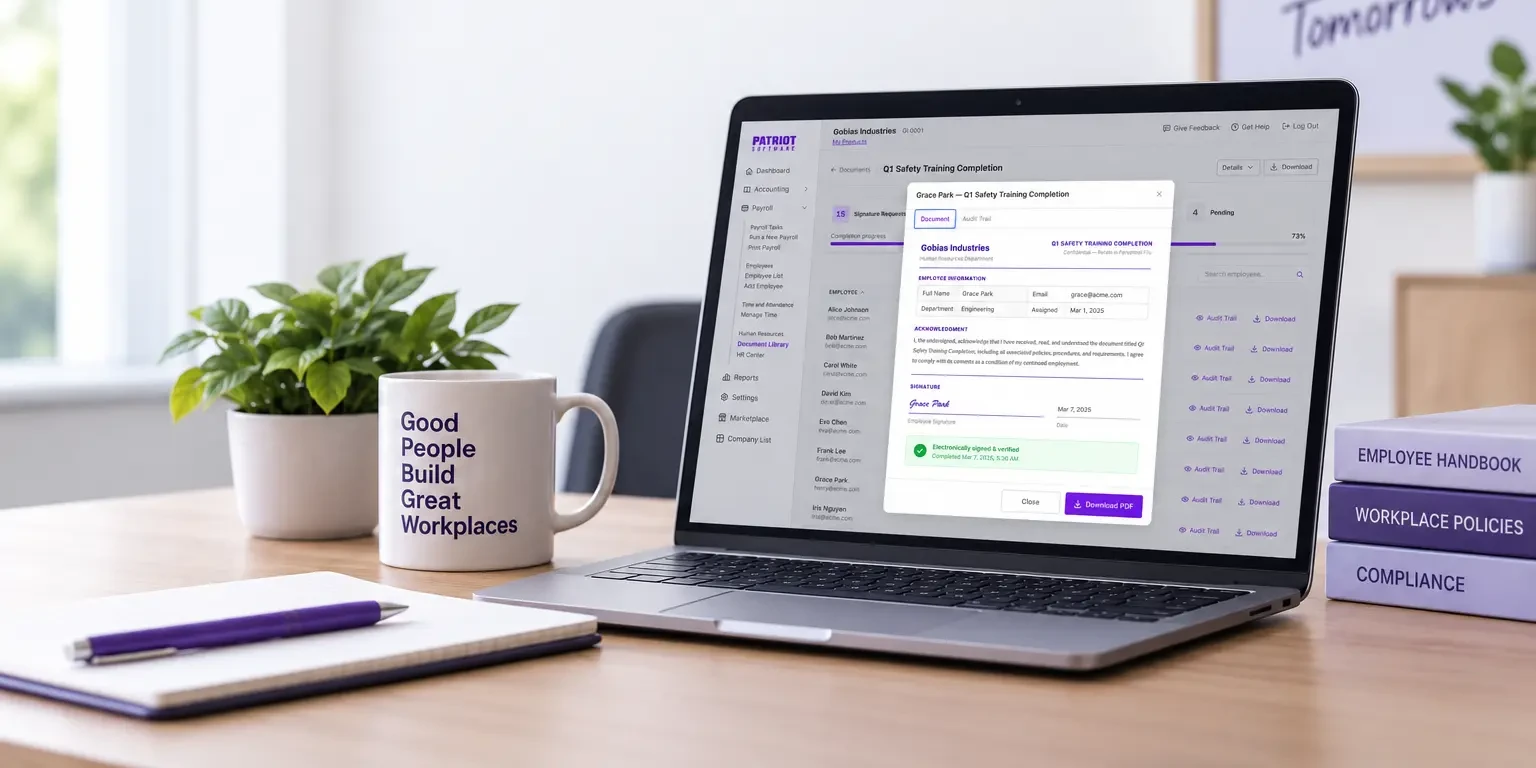
- A built-in audit trail. Each signature is recorded with a timestamp, and many systems also log when the document was sent, emailed, opened, and signed. Instead of a signature on a page, you get a documented chain of events.
- Real-time visibility. A dashboard shows you who has signed and who hasn’t, so you know exactly where your rollout stands; no spreadsheet required.
- Automatic reminders. Rather than personally nudging the three people who always forget, the software follows up for you until everyone has signed.
- Organized records. Signed acknowledgments are stored with the employee’s records, searchable and ready whenever you need them. No filing cabinets, no lost forms.
- A repeatable process. When the next new hire comes, you already have a system and templates. Send it out, and watch the acknowledgments roll in.
- Create and send e-signature documents
- Track employee acknowledgments
- Store signed copies with your HR records

What to look for in an e-signature feature
Not all e-signature tools are built with employers in mind. As you evaluate HR or payroll software with e-signature capabilities, look for these features:
1. Audit trail detail
At minimum, the system should record who signed, what they signed, and a reliable timestamp. Stronger systems also capture events like when the document was viewed, which helps establish that the employee actually had access to the policy.
2. Document version control
If you update your employee handbook in March and again in October, you need to know which version each employee acknowledged. The signature should be tied to the exact document presented at signing.
3. Signer authentication
The system should verify who is signing, typically through the employee’s unique login or an emailed link tied to their account. This connects the signature to a specific person, not just a name typed in a box.
4. Tamper-proof storage
Once signed, the record shouldn’t be editable. Look for systems that lock completed documents and retain them securely.
5. Status tracking and reminders
You should be able to see outstanding signatures at a glance and automate follow-ups, rather than tracking completion by hand.
6. Employee self-service access
Employees should be able to review and sign documents through their own employee portal on their own time, from any device. Bonus: they can revisit signed policies later, which cuts down on “can you resend the handbook?” requests.
7. Retention and export
Records should be stored for as long as you need them and easy to export or print if an auditor, attorney, or agency asks.
8. Integration with your HR records
E-signatures are most useful when they live alongside the rest of your employee data. A standalone signing tool creates one more silo; an e-signature feature built into your HR software keeps everything in one place.
Putting it into practice
Ready to move your acknowledgments online? A simple rollout looks like this: First, decide which documents need signatures (handbooks, policy updates, safety procedures, equipment agreements, and new hire paperwork are common starting points). Next, communicate the change so employees know to expect documents electronically and understand that their e-signature carries the same weight as ink. Then, send your first document, monitor completion, and follow up with anyone outstanding. Finally, make e-signatures part of your standard process for every future policy change and every new hire.
Consistency is what turns e-signatures from a convenience into a compliance asset. When every policy change follows the same signed-and-stored workflow, your records stay complete and defensible.
Simplify acknowledgments with HR software
If you’re already managing payroll and employee records digitally, adding e-signatures is a natural next step. Patriot Software’s HR software add-on lets you upload documents, collect employee e-signatures, and keep signed records organized alongside your payroll and employee information.
This is not intended as legal advice; for more information, please click here.