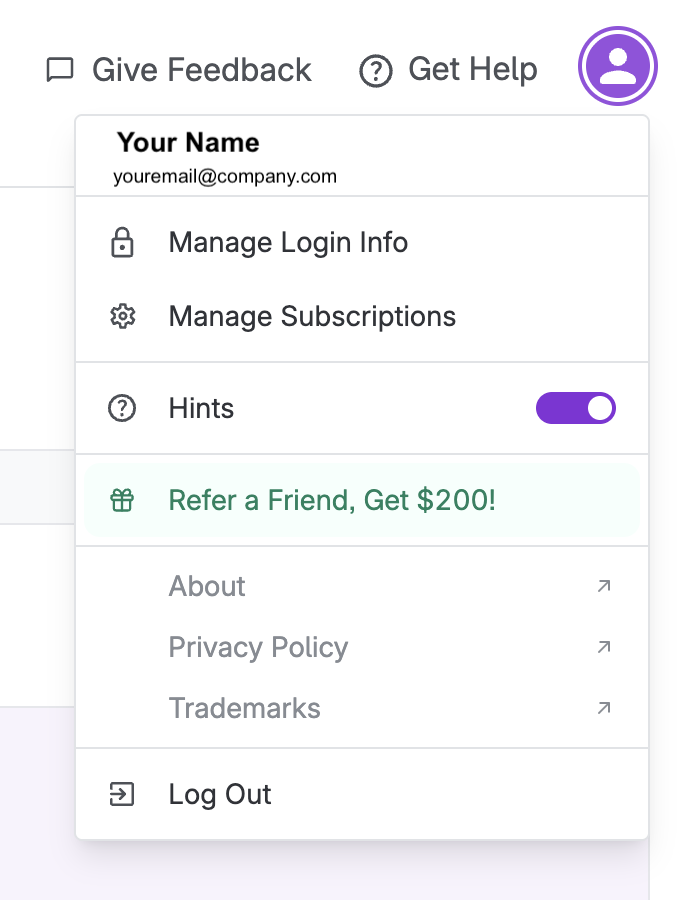
We’ve redesigned the user menu in the top right corner of your account to bring several settings and links together in one place. Instead of hunting for account options across different pages, you’ll now find everything organized in a single dropdown when you click your avatar.
Here’s what’s inside:
Your name and email appear at the top, so you always know which account you’re logged into. Your avatar defaults to your initials until you add a profile photo.
Below that, you’ll find quick access to:
- Manage Login Info – update your username, password, and security settings
- Manage Subscription – view and adjust your Patriot Software subscription
- Hints – a toggle to turn helpful in-app tips on or off
- Refer a Friend – share Patriot with other business owners
- About, Privacy Policy, and Trademarks – our legal and company information, now easier to find
- Log Out – sign out of your account safely
We didn’t reinvent the wheel here, we just made it roll smoother. By bringing these links together into one clean, familiar menu, we’re making it faster and more intuitive to manage your account. Everything you rely on is still right where you’d expect it, just organized in a more efficient way.