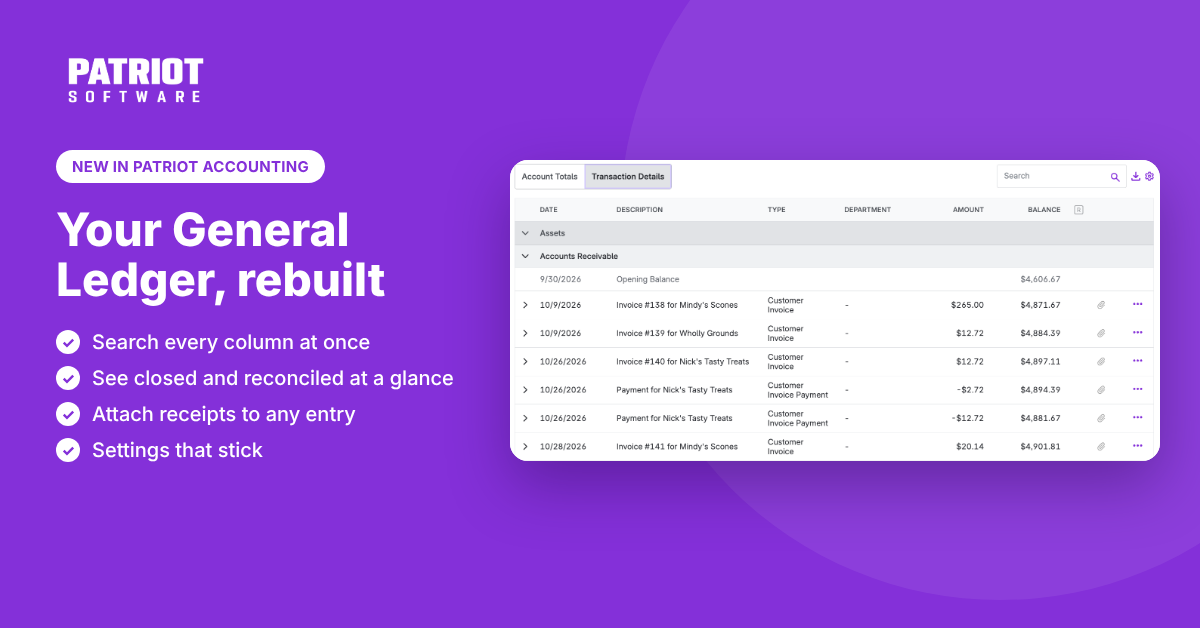
Your General Ledger got a glow-up. We rebuilt it from the ground up so you can find what you need, save your favorite view, and keep your receipts right where they belong. Less scrolling, less digging, more getting back to your day.
What you can do now:
- Search everything at once. One search box checks every column, so you can track down that one transaction in seconds instead of scrolling through pages of entries.
- Know before you edit. Reconciled and closed-period transactions are marked right on the row, so there are no surprises when you go to make a change.
- See totals without the scroll. Collapse an account to see its totals and running balance at a glance.
- Sort it your way. Keep your chart of accounts order, or sort by account name or number.
- Settings that stick. Save your date range, accounts, accounting basis, and view, and the General Ledger opens just the way you left it. No more setting it up every time you log in.
- Keep the proof with the entry. Accounting Premium customers can attach receipts, bills, and contracts directly to a General Ledger transaction. Every file also lands in your Receipts and Documents library, so you upload it once and find it from either place.
The new General Ledger is available to all Patriot Accounting customers. Attaching documents to transactions is available on Accounting Premium.
Go to Reports > Accounting > Financial Reports > General Ledger to check it out. For a full walkthrough, read the General Ledger Report help article.