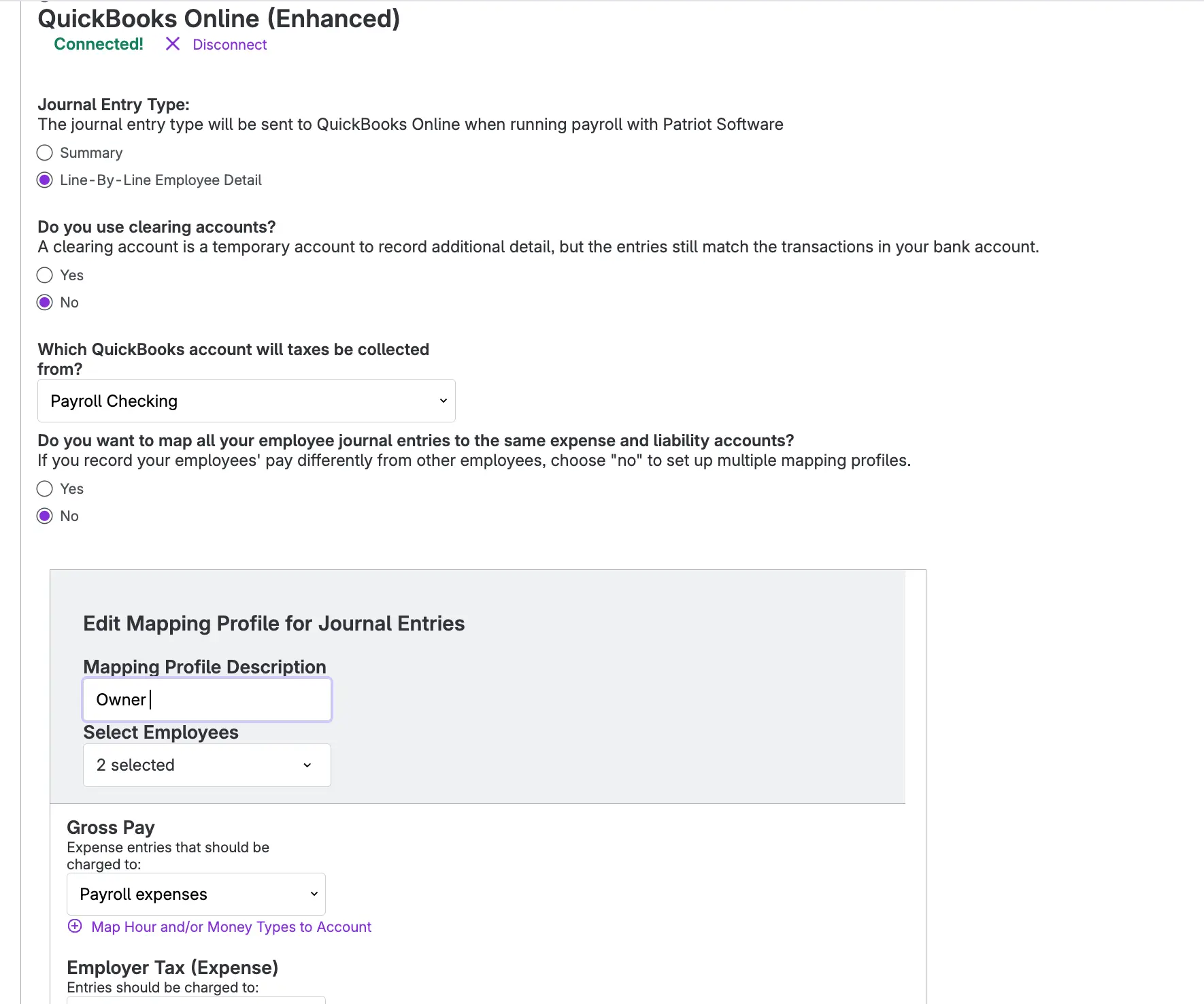
Your payroll journal entries should land in QuickBooks Online the way your books are set up, not the way a one-size-fits-all mapping decides. That’s why our Enhanced Integration with QuickBooks Online, is now the standard integration for every Patriot Payroll customer who connects to with their Quickbooks Online accounting software.
Already integrated with QuickBooks Online? You’ve been upgraded automatically. Your connection, account mappings, and journal entry format all carried over, so payroll keeps posting to QBO without redoing your setup. Here’s what’s new.
Mapping profiles
Not every paycheck belongs in the same bucket. With mapping profiles, you can post one group of employees to one set of expense and liability accounts and another group somewhere else, like keeping owner payroll separate from staff payroll. Assign as many employees to a profile as you need, and create as many profiles as your accounting calls for. If you use summary journal entries, each profile gets its own summary entry in QBO.
Break out bonuses, commissions, and other pay types
Set a default expense account for gross pay, then map specific hour or money types to their own QBO accounts. Bonus, Commission, and Expense Reimbursement can each hit a different expense account instead of blending into one wage line.
Payroll clearing accounts
Use clearing accounts for payroll taxes collected for payroll.
Ready to fine-tune your mappings? Head to Settings > Payroll Settings > Payroll Integration Options, or check out our help article, Enhanced Integration with QuickBooks Online, for step-by-step details.