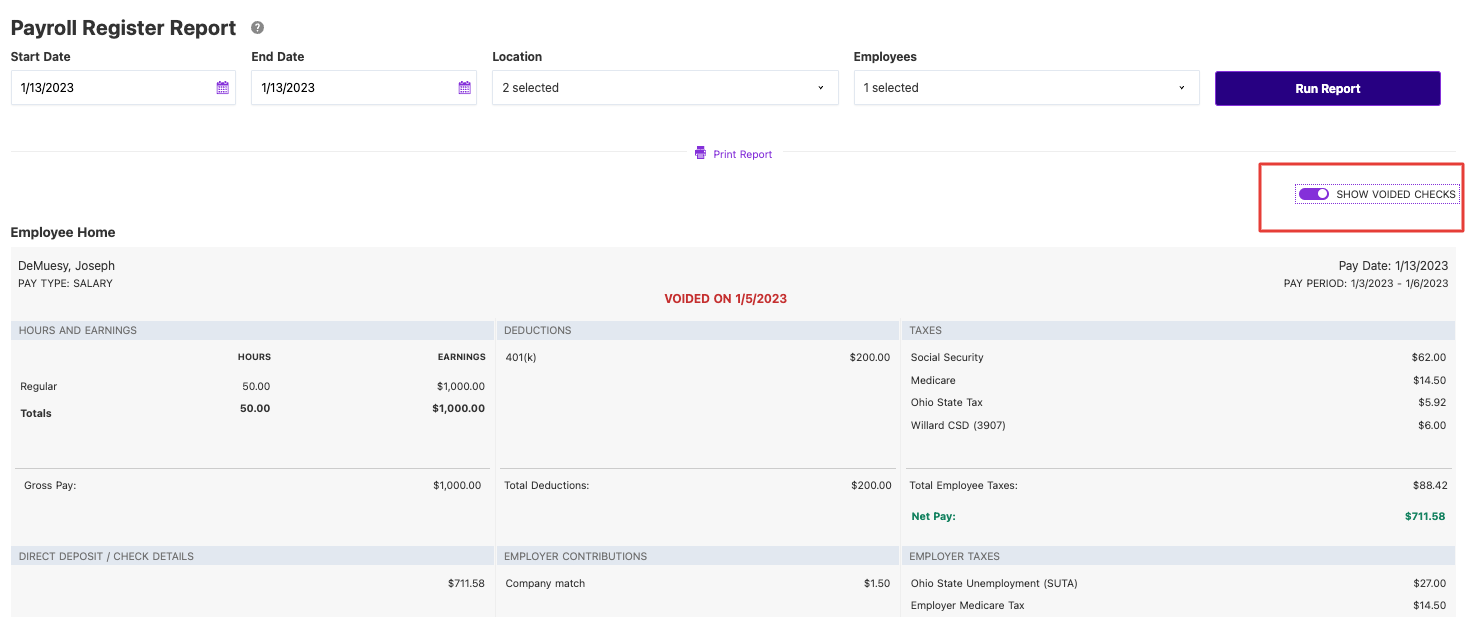
You want to see the data that matters. We hear you. And, because we’ve gotten feedback that users want to be able to see the Payroll Register report without seeing voided paychecks, we’ve added a toggle that allows you to show or hide those voided paychecks. Listening is just one way Patriot is helping business owners keep their time and money.
This enhancement provides greater flexibility in managing your payroll reports. Whether you’re reviewing payroll for auditing purposes or preparing reports for stakeholders, having the option to exclude voided paychecks can streamline your workflow and reduce clutter.
To use this feature, navigate to Reports > Payroll > Payroll Reports > Payroll Register. If any voided checks are within the date range of the report, you will see a toggle switch labeled “Show Voided Checks.” Turning this on will include voided checks in the report; turning it off will exclude them.