We’ve just made your month-end reconciliation a lot easier!
Patriot’s Accounting integration now supports Clearing Accounts for direct deposits and payroll tax withdrawals. If you’ve ever felt the frustration of payroll dates in your software not matching the actual dates money leaves your bank, this update is for you.
What is a Clearing Account?
Think of a clearing account as a “waiting room.” When you run payroll, the money doesn’t always hit your bank account and your expense reports at the exact same moment. A clearing account holds those funds in your books temporarily, acting as a bridge. This ensures that your bank balance is accurate on the day the cash moves, while your payroll expenses are recorded on the day your employees actually get paid.
Why This is a Game-Changer for Your Books
- Less work: When you import your bank transactions, you’ll see the direct deposit and tax withdrawals. Since these are already recorded via the clearing account, you can simply dismiss the imported transactions. No more duplicate entries or manual math.
- Date-Perfect Reporting: Your reports will finally show the “Withdrawal Date” for cash flow and the “Pay Date” for expenses. It makes reporting so much easier!
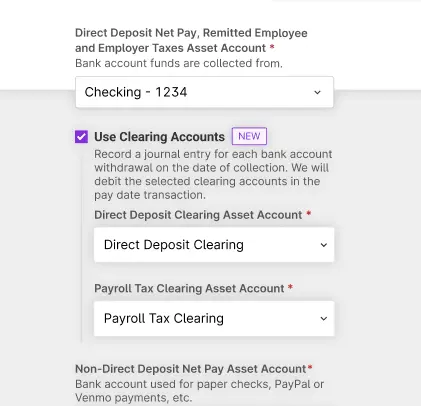
- Easy setup: Just opt in to use clearing accounts and use the pre-set clearing accounts, or use an existing account to use this feature.
To learn more about opting in to Clearing Accounts, check out our help article, “How to Integrate Payroll with Patriot Accounting.”