Payroll Ledger Transactions Report
Coming soon!
Background
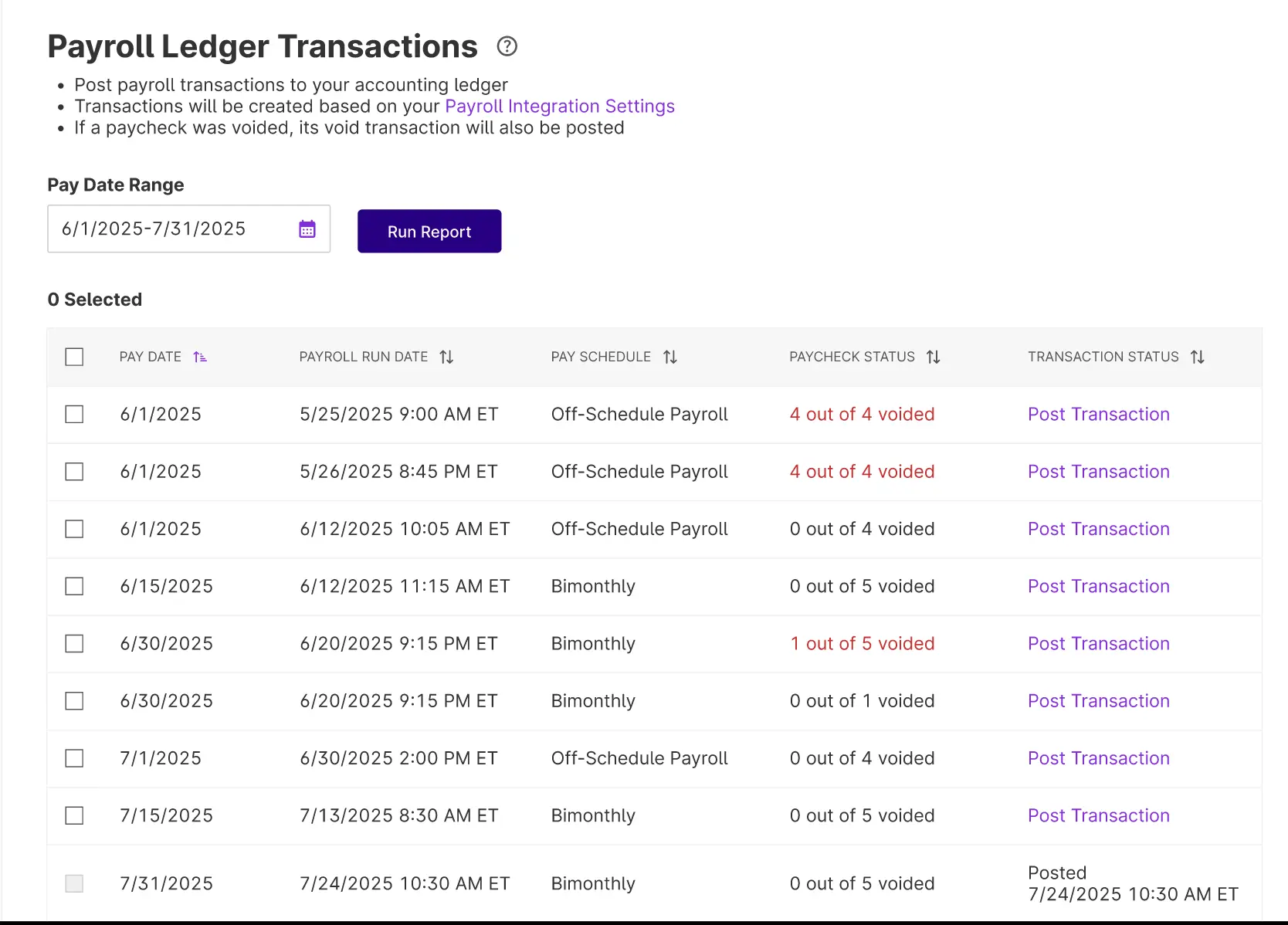
When you integrate payroll with Patriot’s accounting software, you can run a report to see which payrolls have posted to your general ledger and which haven’t. From there, you can post any payrolls that failed to integrate or were run before the integration setup.
💡 This report shows only payrolls that were run in Patriot from 1/1/2024 or later, and does not show payroll history that has been added. You will need to record a manual journal entry for all payroll history entered if you want those payrolls in your accounting records.
There is a similar report for customers who payroll integrate with Quickbooks Online, see our help article, Quickbooks Integration Status Report, for more information.
How to Use the Payroll Ledger Transactions Report
- Go to Reports > Accounting Reports > Payroll Ledger Transactions.
- Set the desired pay date range.
- Click “Run Report.”
- Review transaction statuses:
- Posted – Already sent to the ledger with date and time listed. You will not be able to resend a transaction over that has already been sent.
- Post Transaction – The Post Transaction link means the transaction has not yet been posted to the accounting ledger and is ready for you to post.
- To post a transaction:
- Click the “Post Transaction” link to send post the transaction to your accounting ledger.
- A modal will appear
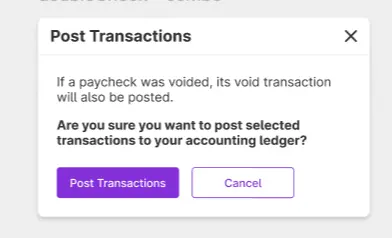
- Click the “Post Transaction” button in the confirmation modal to confirm, or click cancel to back out.
- A confirmation banner will display to show your transaction has been posted.
- Successful Transactions will reflect the Posted status with the date and time listed on the report.
💡Important notes
- If a paycheck was voided, both the original and voided transactions will post.
- You can post any payrolls that were run in Patriot from 1/1/2024 on.
- Posting to the most recent closed accounting period will update any affected closing entries. If the payroll needs to post to a period closed before the most recent one, you’ll need to reopen each closed period before posting.
- All payroll history entries will not be available to send over, even if you have already set up integration for Patriot Payroll to Patriot accounting. Please create a manual journal entry for payroll history transactions.
Your feedback will not receive a reply. If you have a specific issue, please reach out to our support team here.