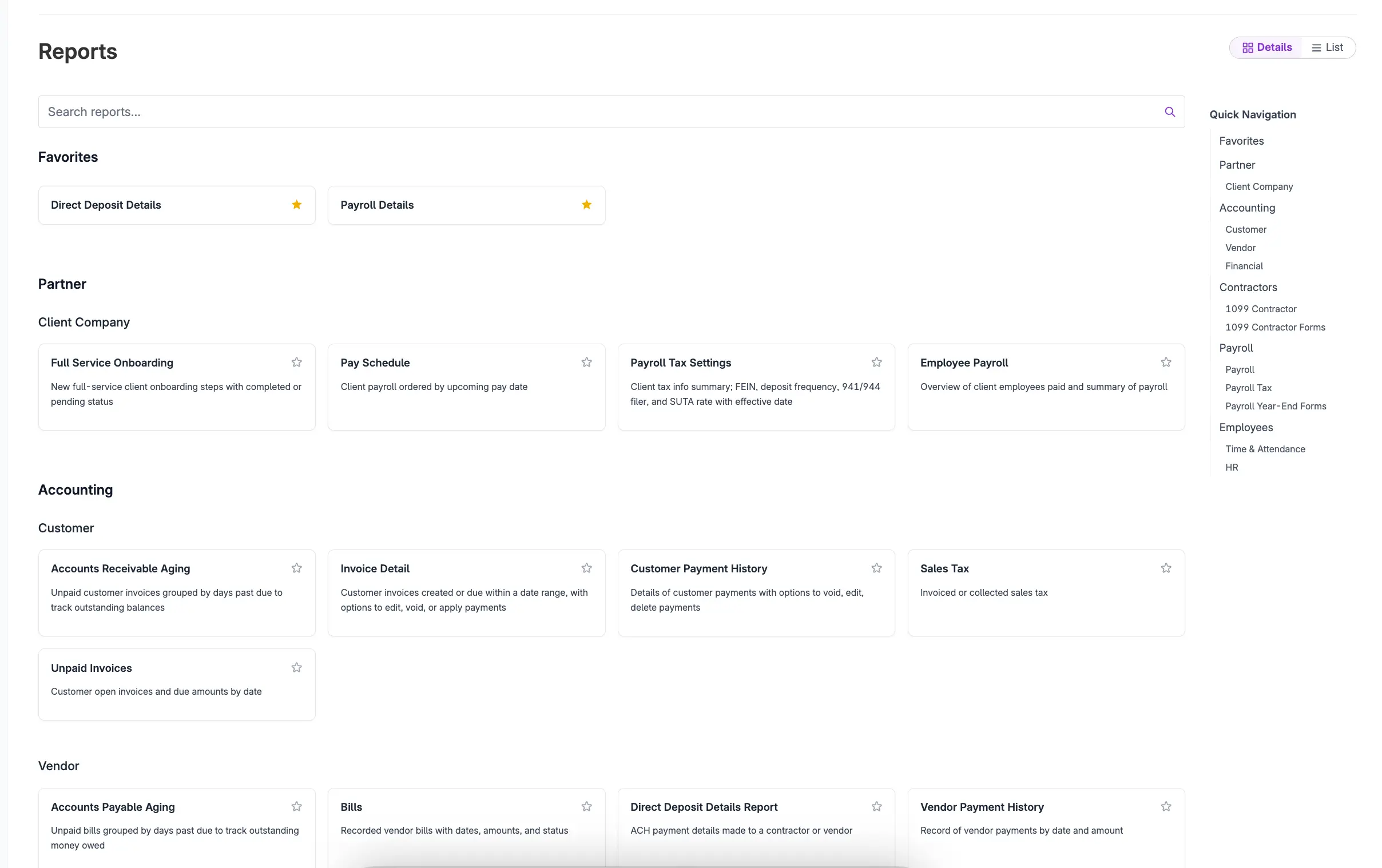
If you’ve ever clicked into the Reporting page and thought, “I know the report I want is in here somewhere…,” good news. We just updated the Reporting page with a new “Details view” that makes it easier to find the right report, understand what it does, and get back to work.
What’s New in Details View
Report descriptions
No more guessing. You’ll now see clear descriptions so you can quickly confirm you’re choosing the right report before you run it.
Favorites
Have a few go-to reports you use every week (or every time payroll hits panic mode)? Mark them as favorites so they’re easier to find next time.
Search
Type what you’re looking for and jump straight to it. Fewer clicks, less scrolling, more “oh there it is.”
Why we made this update
Reports are only helpful if you can actually find and use them. Details view is designed to cut down the hunt-and-peck routine and make reporting feel more organized, especially if you manage a lot of data or run the same reports regularly.