How to Add or Edit My Personal Information
If you are an employee and have any questions about your paychecks, W-2s, or using the employee portal, please contact your employer. Patriot Support staff cannot answer your questions via chat, email, or phone. We can only speak with authorized company contacts.
How to Add or Edit Address and Phone Number
- Click “Personal Info,” found on the side navigation of the employee web portal.
- Click Edit.
- On the Edit Personal Information screen, you can change your address (within the same state), phone, and birth date.
- Note: To change your name, Social Security Number, or change your address to a different state, you will need to notify your employer to make the change for you, since these changes could affect taxes.
- To Change your email address, see “How to Edit Your Email Address” below
- Your work location and time zone will be displayed. This time zone will be shown on time cards if your employer uses time and attendance software. You can change the time zone of your work location by selecting a new one from the dropdown menu and clicking “Save” at the bottom of the page.
- Your employer may be required to track your race for equal opportunity employment reporting purposes. If so, you can select your race and sex. For a more detailed description of the choices, see this sample self-identification form.
- Your employer may be required to track your veteran status for reporting purposes. If so, you can select your veteran status. If you are not a protected veteran or not a veteran at all, choose “Not a Protected Veteran.”
- Click Save.
How to Edit Your Email Address
- Log in to your employee portal.
- Click the Manage Login Information icon located on the Home Page of your portal.
- Click the Change Email Address icon.
- You will be sent a magic link to the email address on file.
- Click the magic link from your email. You will be taken back to the employee portal Email “edit” page.
- Update your Email address.
- Enter in your existing password.
- Click Save.
Also see “How to Add or Change Your Employee Profile Photo“
How to View Position Info
If your employer tracks information about your job, you will see your hire date, job title, and position type (full time, part time, seasonal, etc.). This information is not editable. If something needs to be changed, you will need to notify your employer to make the change for you.
Add or Edit Emergency Contacts
If your employer offers emergency contact tracking, you can add or edit emergency contacts.
- Click “Personal Info,” found on the side navigation of the employee web portal.
- Find the Emergency Contact section.
- To add an emergency contact: Click Add New Contact.
- A modal will appear.
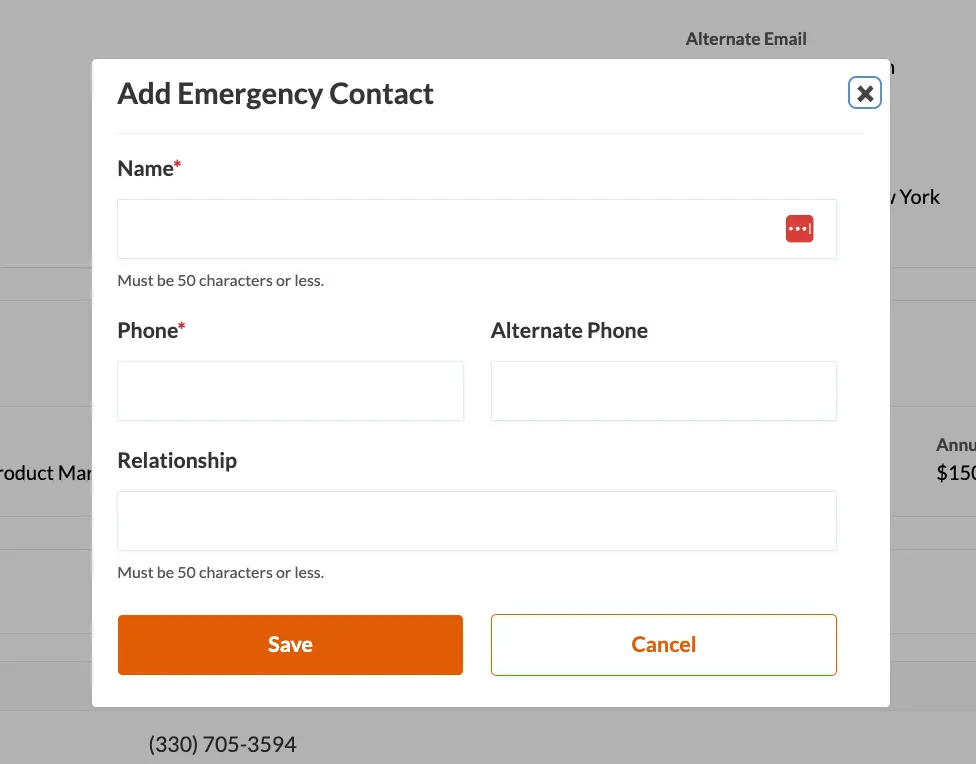
- Fill in the emergency contact fields.
- Click Save.
- To edit an emergency contact: Click Edit in that row. Make any changes, and click Save.
- To delete an emergency contact: Click Delete in that row and then click OK to confirm you want to delete this emergency contact.
Your feedback will not receive a reply. If you have a specific issue, please reach out to our support team here.